Sharing a Linux directory with Windows VM via Remmina
In COMM335 at UBC, students were required to use the faculty-managed Windows VM’s Microsoft Access (DBMS GUI tool). Unfortunately, they didn’t have a setup guide for Linux as of 2019, and I had some trouble allowing the remote Windows VM to access local directories on my Ubuntu 16.04.
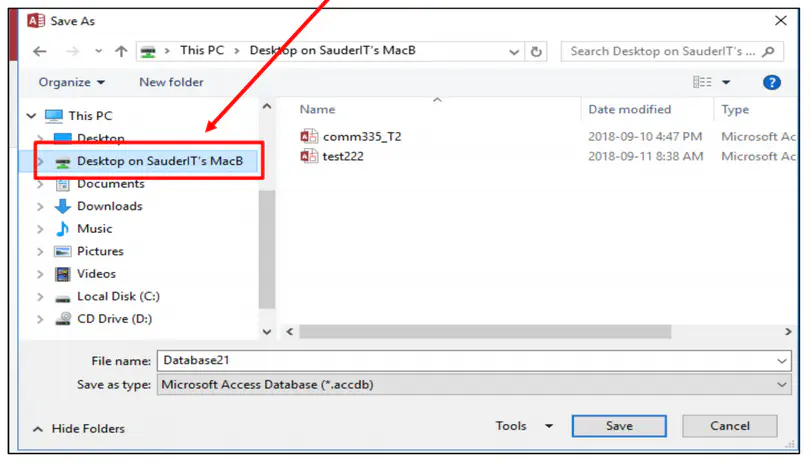
(Picture taken from the faculty’s guide for Mac)
This short guide walks through how to set it up in case future students run into the same issue.
Setup
I used Remmina, which is the remote desktop application that ships with Ubuntu. This guide was written using Remmina version 1.2.32.1.
Step 1
Follow the faculty’s setup guide for Mac to get the .rdp file.
Step 2
Open Remmina’s main window, and find the import option from its top-right hamburger menu.
Import the previously saved .rdp file.

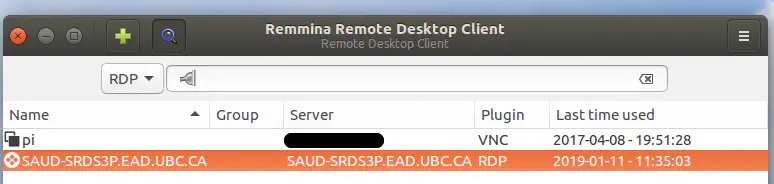
Once imported, you should see the Sauder connection row in the table.
Step 3
Remmina creates a configuration file for each setting it imports.
Depending on your setup, this config file should be under ~/.remmina or ~/.config/remmina with a name like 1547174819500.remmina.
Find this file and open it in a text editor. It should look something like this:
[remmina]
name=SAUD-SRDS3P.EAD.UBC.CA
proxy=
ssh_enabled=0
exec=||MSACCESS
showcursor=0
colordepth=32
server=SAUD-SRDS3P.EAD.UBC.CA
loadbalanceinfo=tsv://MS Terminal Services Plugin.1.QuickSessionCollection
ssh_auth=0
aspectscale=0
ssh_charset=
quality=0
disableencryption=0
ssh_loopback=0
group=
ssh_username=
username=
hscale=0
gateway_server=saud-srds3p.ead.ubc.ca
window_maximize=0
gateway_usage=1
viewmode=1
viewonly=0
window_height=841
keymap=
window_width=1024
ssh_server=
shareprinter=1
protocol=RDP
disableserverinput=0
disableclipboard=0
ssh_privatekey=
vscale=0
last_success=20190111
Remmina enables shared folders if the sharedfolder field exists in the configuration. Add the following line to the config file:
[remmina]
...
sharefolder=/home/atsushi/UBC/2019w/COMM335
...
That’s it! You should now be able to access the specified folder in your Windows VM.
Remmina is open source and has an issue page on GitLab, so you can get help there if you get stuck.
Hope this helps!